

Manage Screen Time
Create healthy digital routines for school nights, meals, bedtime, and weekends.
FamilyFence helps parents manage screen time, apps, websites, activity, and family safety from one parental control app. Set rules on child devices you are authorized to supervise, then start with a 3-day free trial.
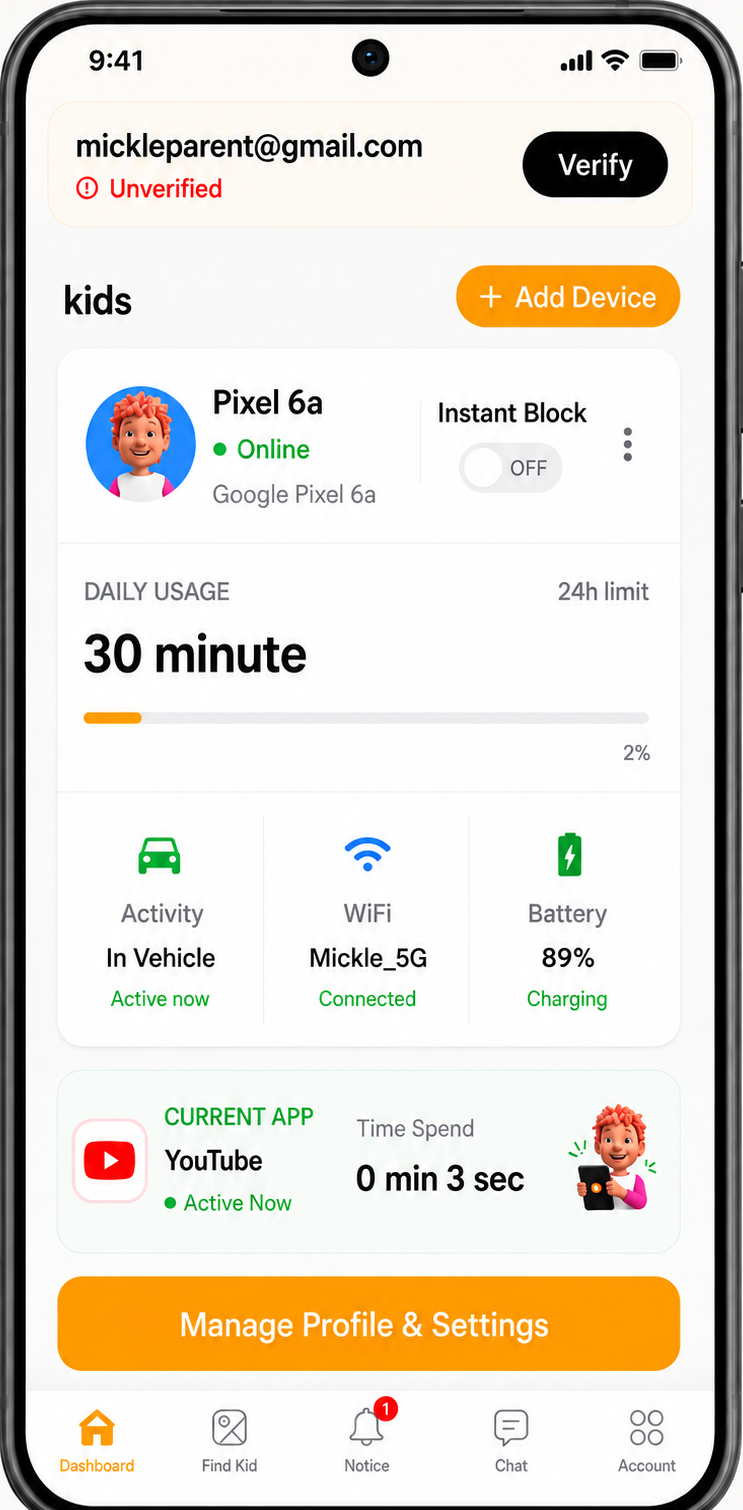
FamilyFence gives parents practical tools to manage children's digital experiences, from screen time and app access to Find Kid location, YouTube activity, web safety, family communication, and optional safety alerts.
Create healthy digital routines for school nights, meals, bedtime, and weekends.
Manage access to apps, games, websites, and online content from the Parent App.
Use family communication and safety features when reassurance or quick support is needed.
Use alerts and optional location safety features with transparent family setup.
View supported current location information for a supervised Android child device.
Review supported YouTube activity records and content context from the Parent App.
A focused overview of the parental control tools parents use most often before exploring the detailed feature screens.
Set routines, bedtime schedules, and daily device-use boundaries that fit your family.
Learn MoreSet daily time allowances for selected apps and adjust limits when routines change.
Learn MoreBlock distracting apps, approve useful tools, and adjust access from the parent dashboard.
Learn MorePause selected apps or device access during homework, bedtime, meals, or family time.
Learn MoreUse on-device filtering and safety alerts to support age-appropriate browsing.
Learn MoreReview optional location history and safe-zone context when your family enables it.
Learn MoreView supported current location information for a supervised child device from the Parent App.
Learn MoreReview supported YouTube activity and understand the type of content your child is watching.
Learn MoreUnderstand app usage, daily patterns, and screen-time trends without guessing.
Learn MoreGive your child a clear emergency action to reach a parent or guardian when connected.
Learn MoreCoordinate family safety and parent-to-parent communication from one trusted space.
Learn MoreListen by default, switch to two-way Talk when needed, and manage responsible usage limits.
Learn MoreGetting started takes under 10 minutes. No technical knowledge required.
Install the FamilyFence ParentControl from Google Play on your Android phone.
Create your FamilyFence account and generate a unique 6-digit pairing code.
Set up FamilyFence Kid from Google Play on your child's Android device.
Enter the pairing code, grant permissions, and both devices connect instantly.
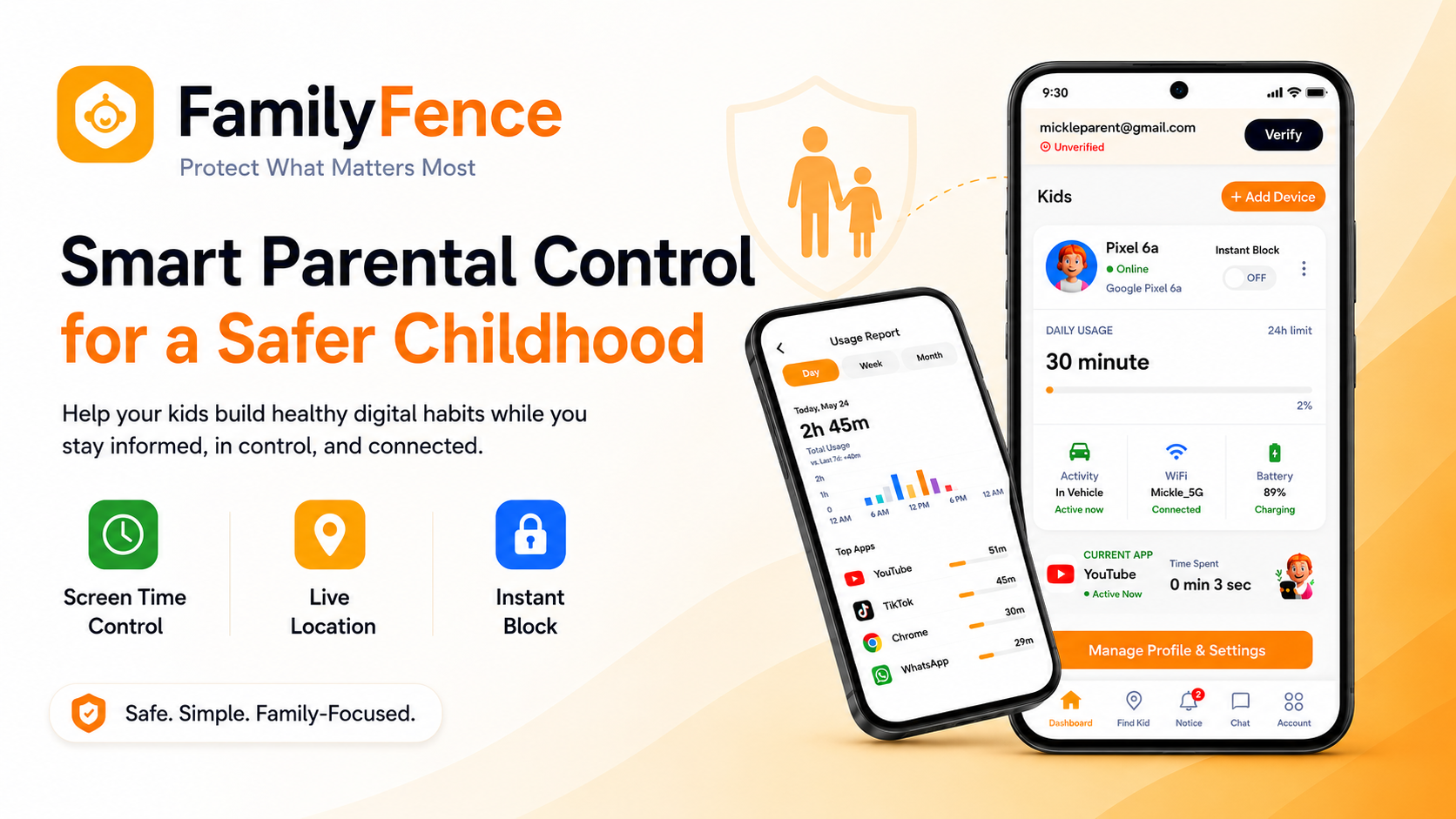
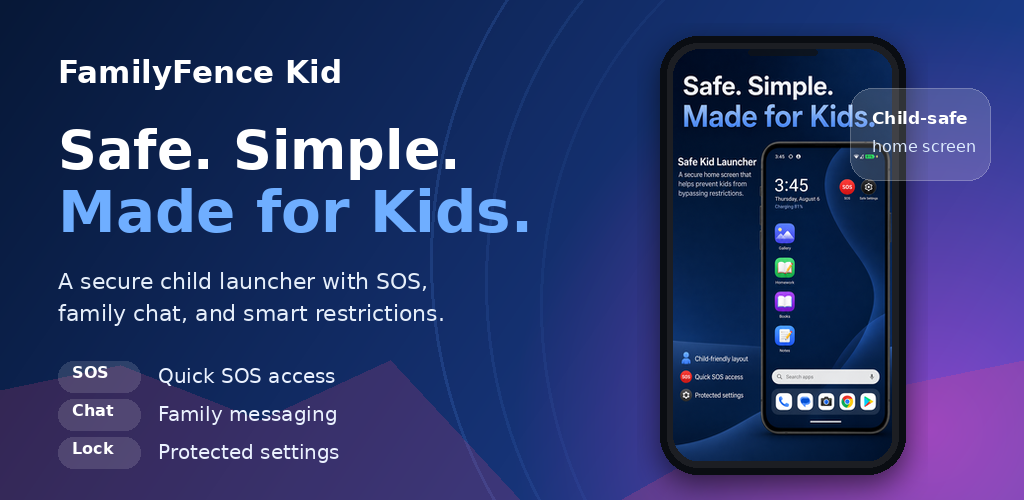
Manage app access, review screen activity, set healthy limits, respond to emergencies, and stay connected with your family from one simple parent dashboard.
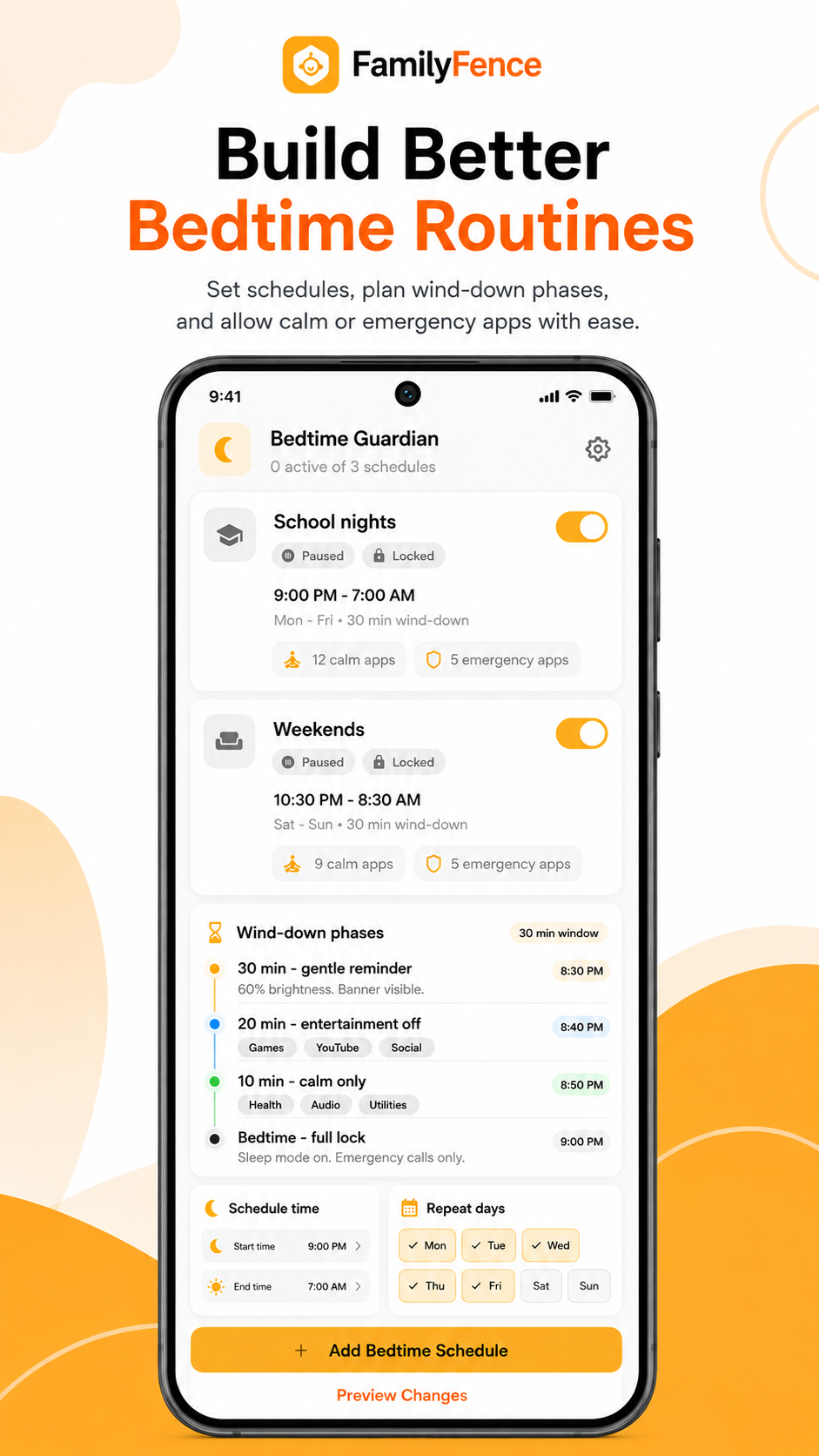
Screen Time preview is unavailable.
Create screen-time schedules that support sleep, study, and family time.
Set regular device-free hours and calming wind-down periods that fit your family’s routine. Keep essential communication apps available while helping your child transition away from distracting apps at the right time.
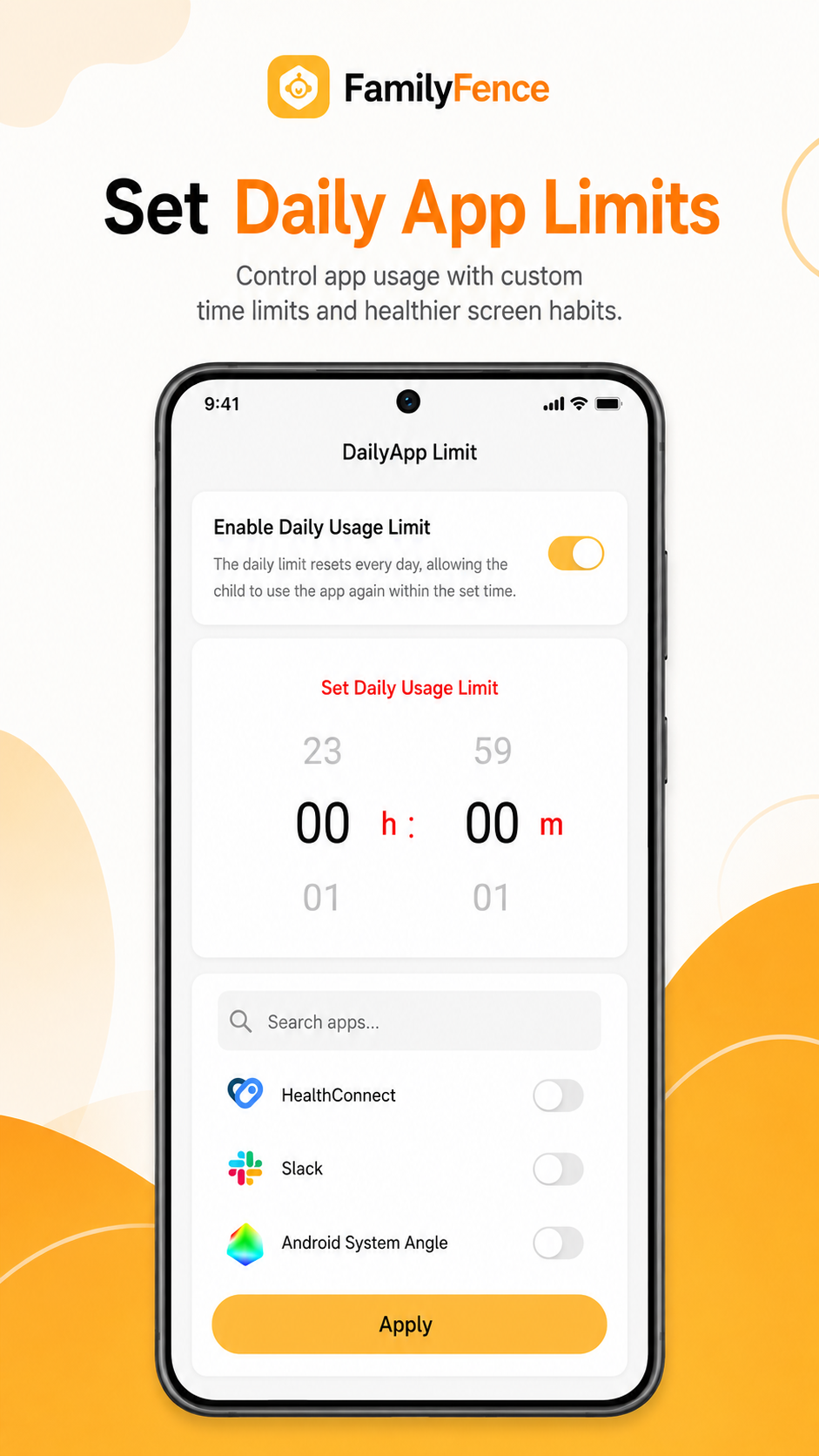
Daily Limit preview is unavailable.
Set healthy daily time limits for apps and device use.
Daily Limit helps parents establish consistent screen-time boundaries. Set daily usage allowances for individual apps or selected categories and adjust limits when family routines change.
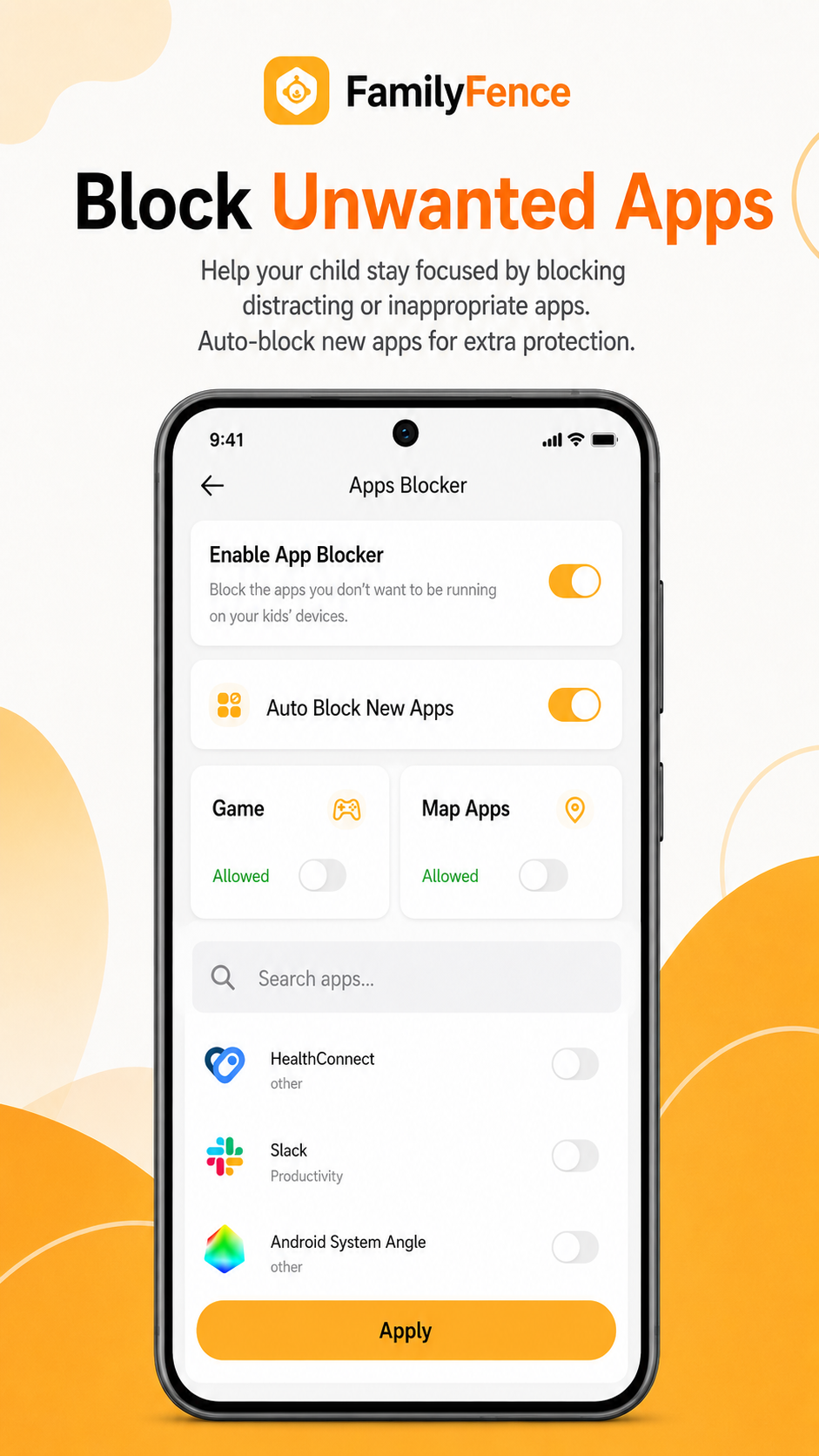
App Blocker preview is unavailable.
Control which apps your child can access.
App Blocker allows parents and legal guardians to manage access to selected applications from the parent dashboard. Distracting or age-inappropriate apps can be blocked while useful and essential apps remain available.
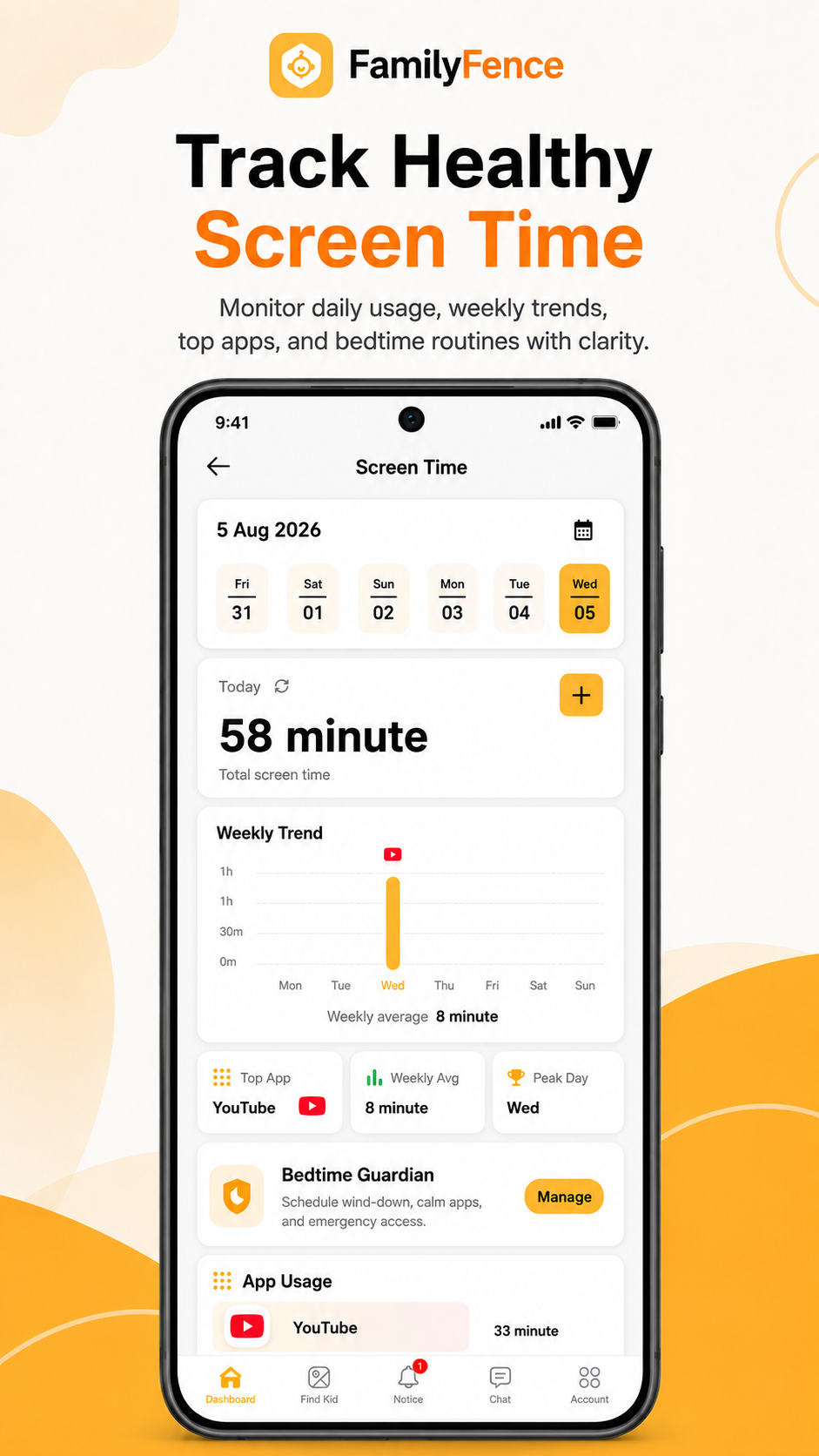
App Usage preview is unavailable.
Understand how your child spends time on their device.
App Usage provides a clear overview of application activity, helping parents understand which apps are used most frequently and how much time is spent on each one.
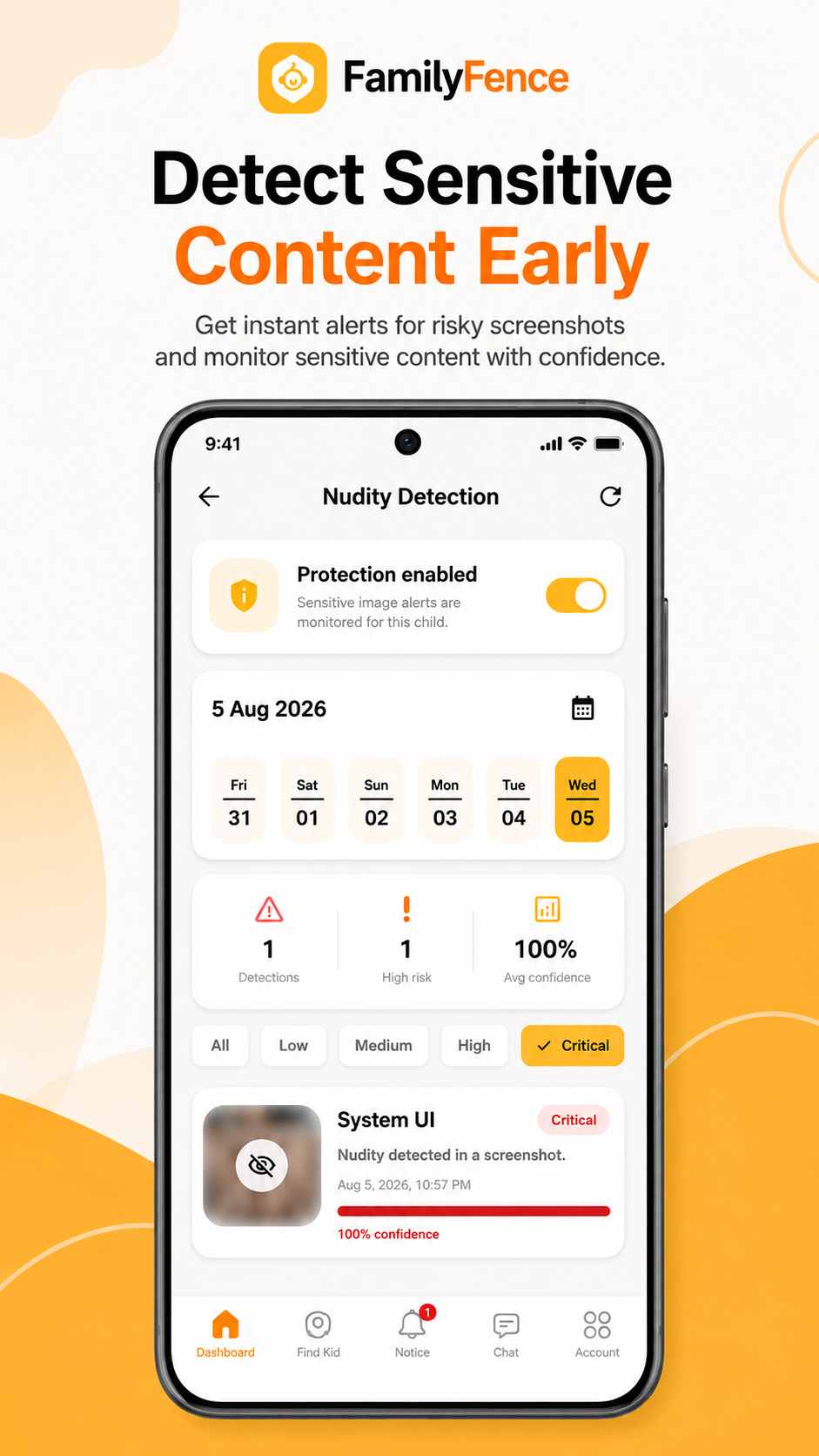
Content Safety preview is unavailable.
Review sensitive-content safety alerts from one clear screen.
When this optional protection is enabled, parents and legal guardians can review sensitive-content alerts and protection status from the Parent App.
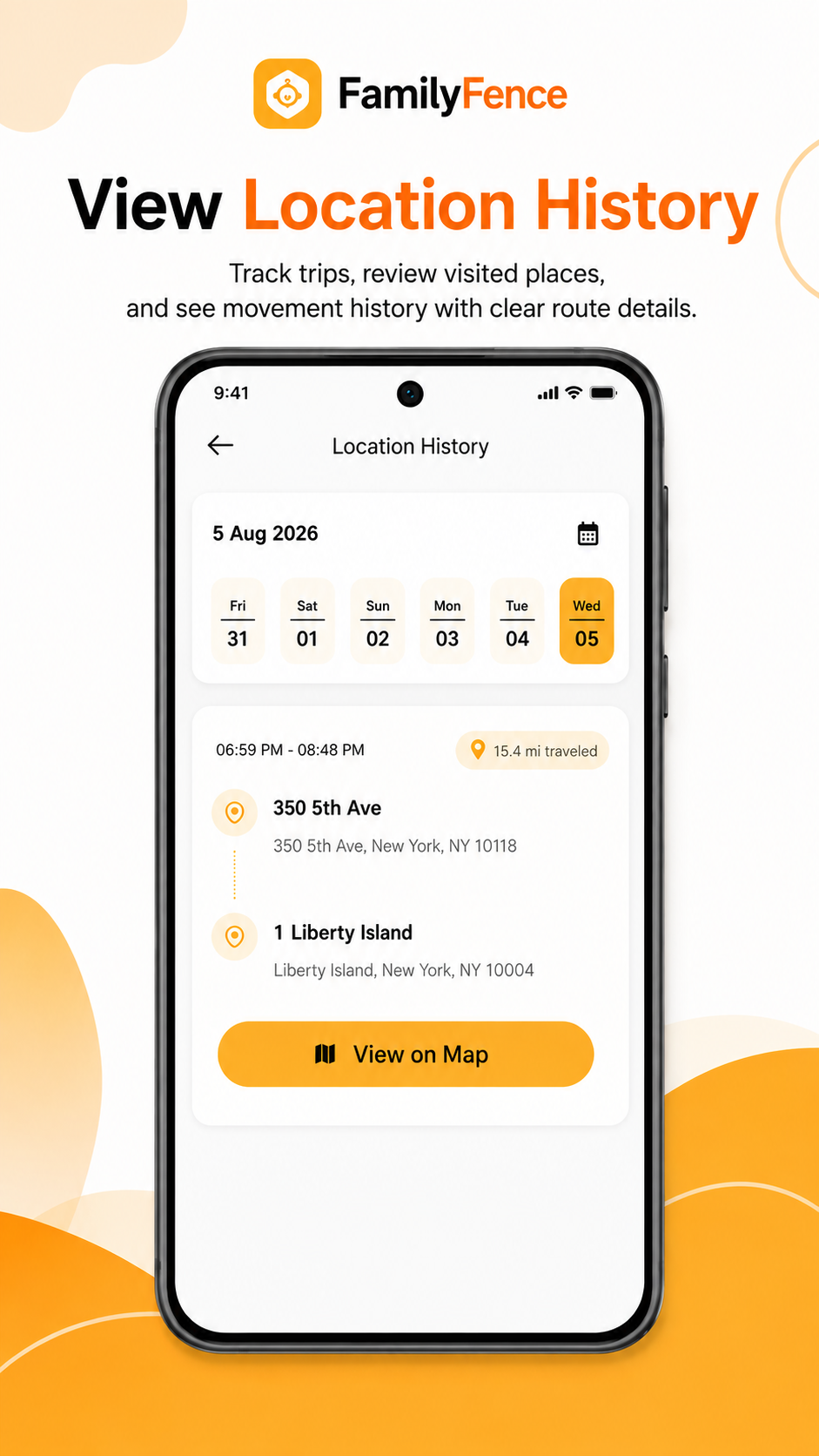
Location History preview is unavailable.
Review previous location and trip activity.
Location History allows parents to review previously shared device locations and trip information when location services are enabled. It provides useful context such as route details, time, and saved location information.
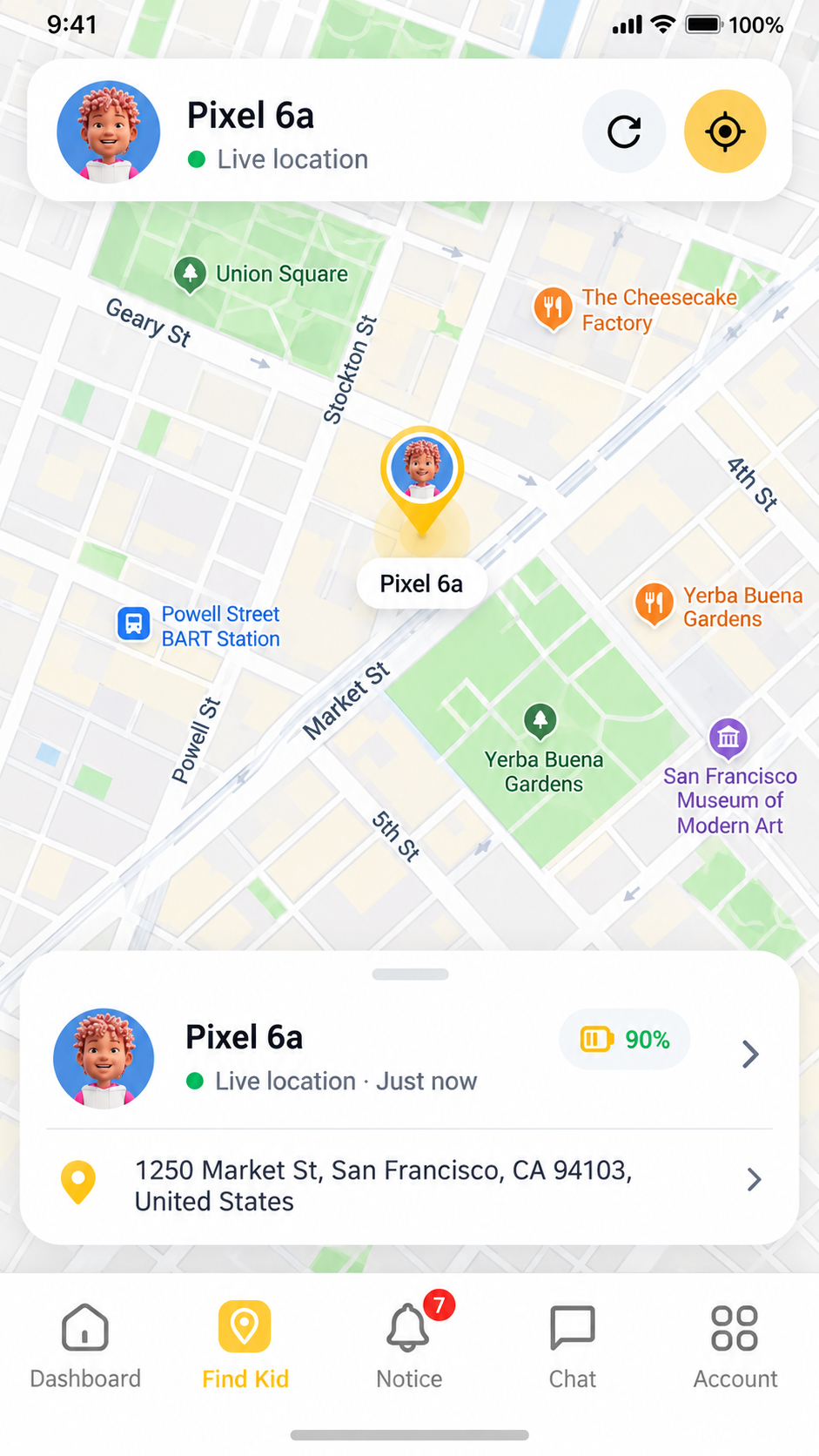
Find Kid preview is unavailable.
View supported current location information from the Parent App.
Find Kid helps parents and legal guardians see the supported current location of a supervised child device when location sharing is enabled and the required Android permissions are granted.
Location availability depends on device connectivity, permission settings, and location services on the supervised Android device.
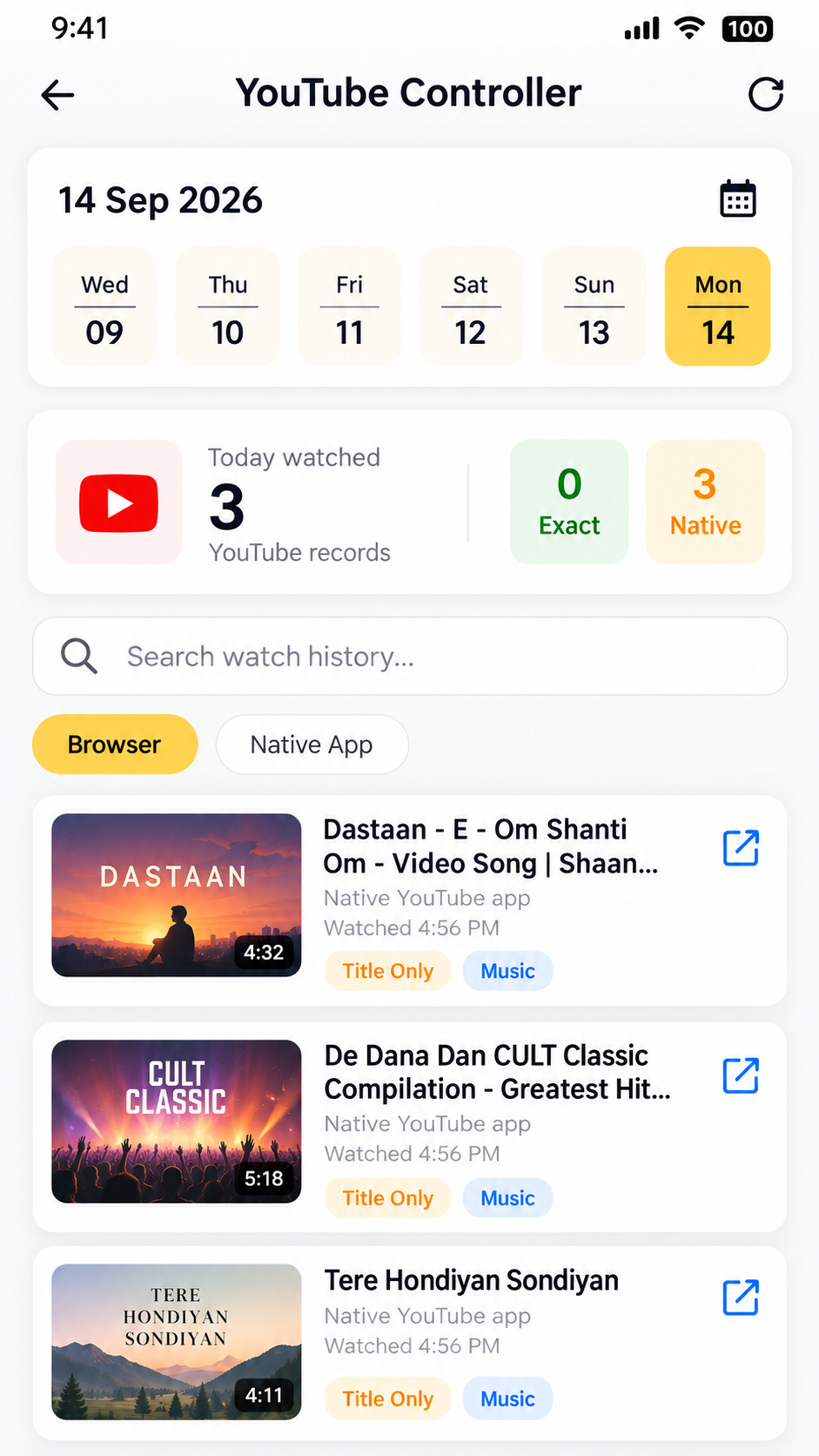
YouTube Controller preview is unavailable.
Review supported YouTube activity and video-history signals.
YouTube Controller helps parents understand the type of YouTube content a child is watching by showing supported activity records from browser or native-app sources when monitoring is enabled.
YouTube activity availability depends on enabled monitoring, Android permissions, and supported app or browser activity sources.
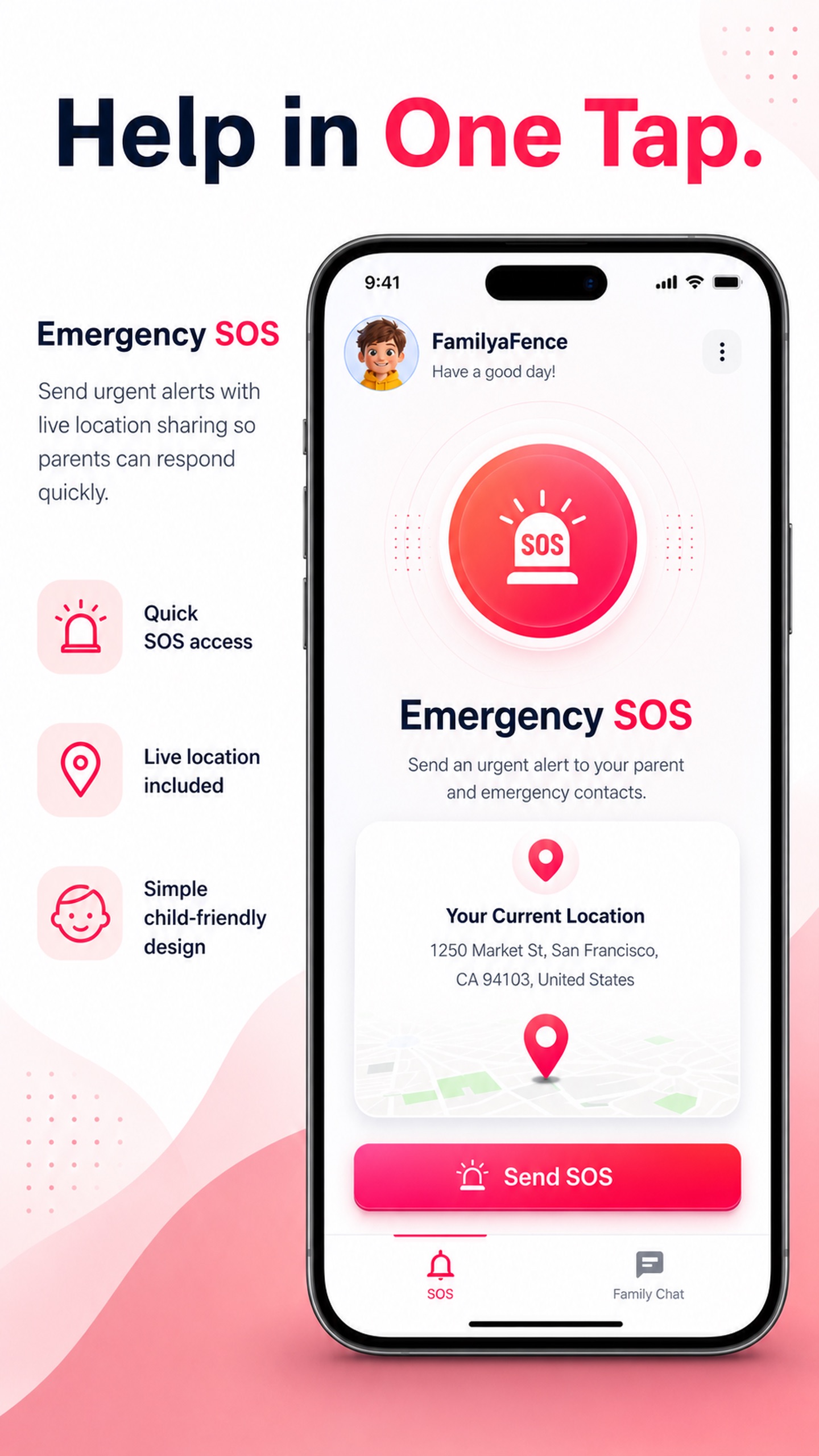
SOS Alert preview is unavailable.
Help your child quickly reach out during an emergency.
SOS Alert provides a clear emergency action that allows the child to send an alert to the parent or guardian. The parent receives important alert information so they can respond quickly when a device connection is available.
Alert delivery depends on internet or mobile connectivity and an available device connection.
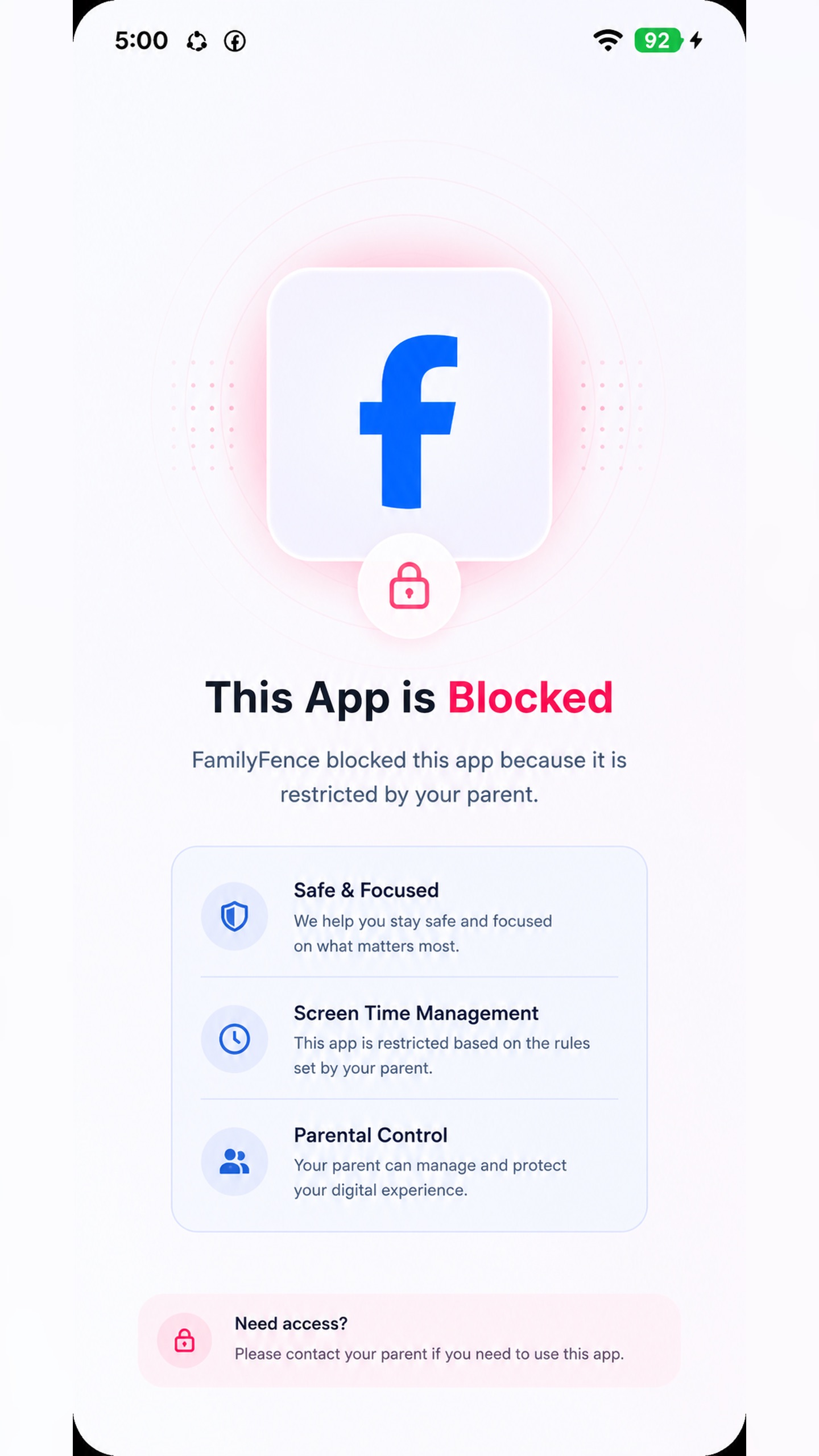
Instant Block preview is unavailable.
Temporarily pause distracting apps or device access.
Instant Block gives parents a quick way to temporarily restrict selected apps or device activity during study time, meals, family time, or other important moments.
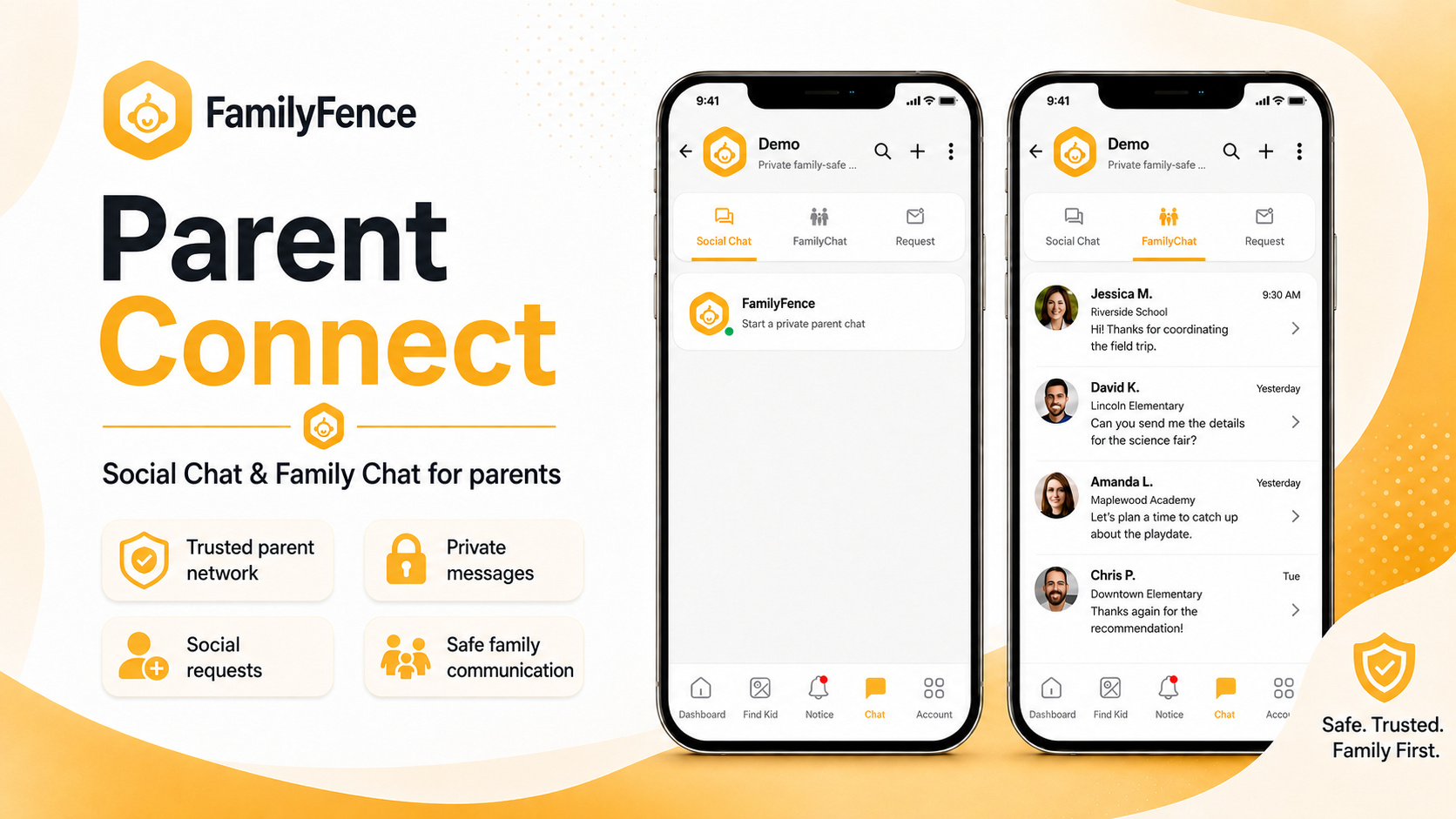
Parent Connect preview is unavailable.
Trusted parent communication, all in one place.
FamilyFence Parent Connect helps parents safely connect with other parents, send connection requests, and communicate in a respectful community space. It is designed for child-safety support, advice sharing, and trusted parent-to-parent communication.
Family Chat provides a private messaging space where connected parents can communicate directly. It helps families stay in touch, coordinate child safety matters, and respond quickly when support is needed.
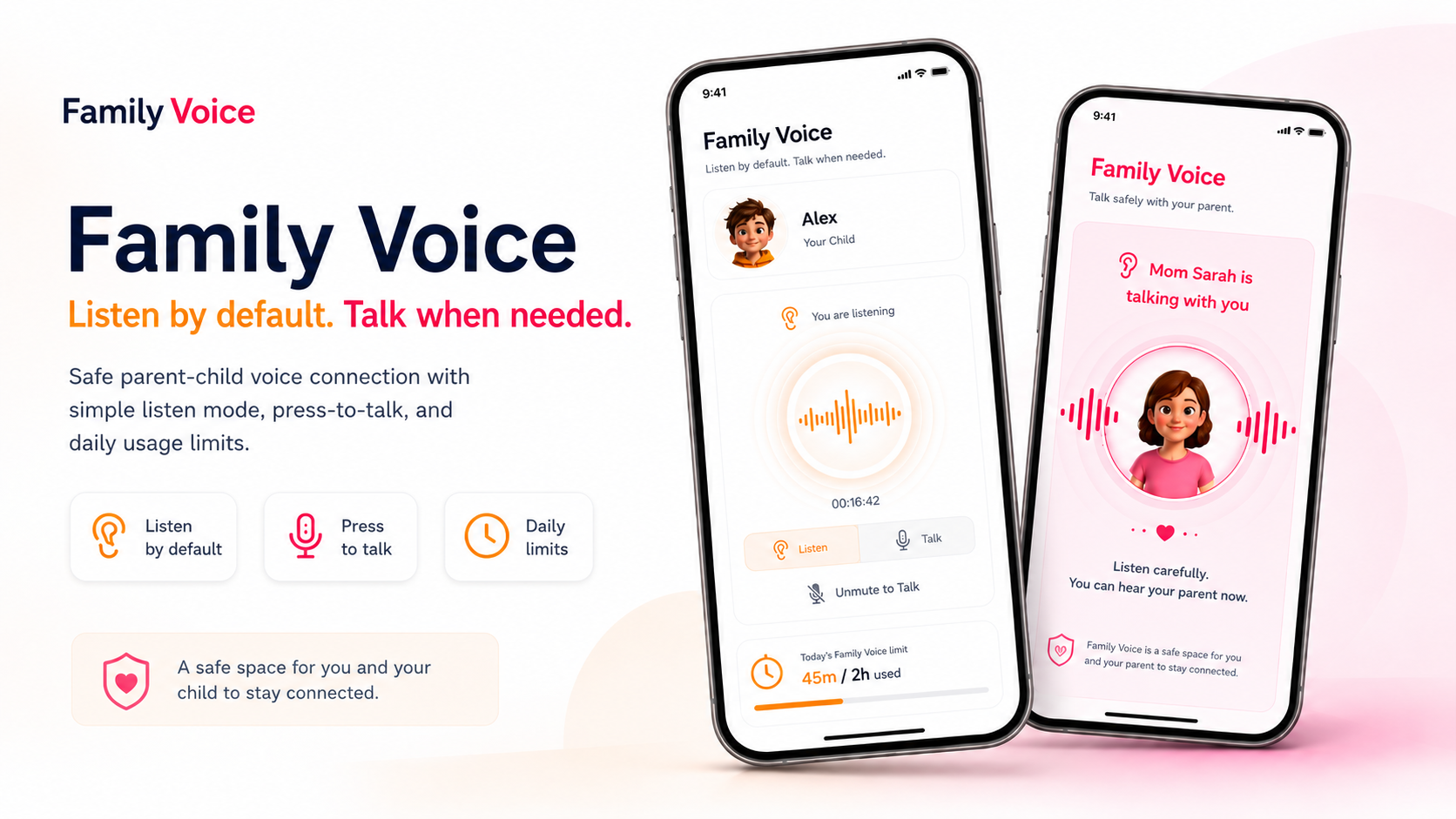
Family Voice preview is unavailable.
Listen by default. Talk when needed.
Family Voice provides a real-time audio connection between a parent and the selected child device. Start in Listen mode for reassurance, then switch to two-way Talk when direct communication is needed.
Family Voice requires microphone access on participating devices. The parent microphone activates only when Talk is selected, the child device shows the active connection, and families should use the feature transparently and in accordance with local privacy laws.
Watch how an authorized parent sets up FamilyFence, configures family rules, manages app access, and reviews screen-time summaries.
Start with a 3-day free trial, choose monthly or annual billing, then keep the plan that matches the number of child devices in your family.
Or $30.00/year after the 3-day trial
Or $40.00/year after the 3-day trial
Or $60.00/year after the 3-day trial
Install the Parent App on the guardian device and the Child App on the supervised device, then pair both apps with a secure setup code.
Use this app on the parent or guardian device. After installing, create your account, choose a plan, and pair each child device.

Install on the parent Android phone and manage child-device controls.
▶ Get it onGoogle PlayThe Child App must remain visible on the supervised device and should only be installed by a parent or legal guardian.
Install the official child-device app from Google Play.
▶ Get it onGoogle PlayQuick answers about Android support, setup, privacy, pricing, and responsible family use.
Yes. FamilyFence currently supports Android parent and child devices through the official Google Play listings.
Install FamilyFence Kid from Google Play on the supervised Android device, enter the pairing code from the Parent App, and grant the requested permissions.
No. FamilyFence is designed for transparent family use by parents or legal guardians. The child app remains visible on the supervised device.
Your selected monthly or annual plan renews unless cancelled before the trial ends. Plans support 1, 3, or 5 child devices.
Give your family practical tools for managing screen time, apps, websites, and digital safety on Android family devices.